Selling Canva templates on Payhip can be a simple way to turn designs you have already created into digital products how to sell Canva templates on Payhip. You do not need to print anything, keep inventory, or manually send files to every customer. Once your product is set up correctly, Payhip can handle the checkout and digital delivery while you focus on creating useful templates and finding customers.
I started looking at Canva templates as products rather than just designs when I noticed how often people were buying time-saving resources. A small business owner may know how to make an Instagram post but not want to spend an hour designing one. A student may need a clean presentation but not want to start from a blank page. A real estate agent might need a set of social media graphics every month how to sell Canva templates on Payhip.
That is the opportunity with templates: you are not only selling a design. You are selling a starting point that someone can customize how to sell Canva templates on Payhip.
This guide explains how to sell Canva templates on Payhip, from creating the product to delivering the editable Canva link, pricing it, and avoiding common mistakes.
What You Actually Sell When You Sell a Canva Template
A Canva template is usually a pre-designed layout that the buyer can customize in their own Canva account.
For example, imagine you create a pack containing:
- 20 Instagram post templates
- 10 Instagram Story templates
- 5 promotional banners
- 5 quote graphics
- A simple instruction PDF
Instead of sending the editable Canva design directly to the customer, you can provide a PDF containing a button or link that allows the customer to access the template.
This distinction matters.
Your customer is generally buying access to the template you created, not a JPG or PNG image of the finished design.
A useful template should therefore be easy to edit. Text boxes should be clearly positioned, colors should be easy to change, and the design should still look good when the customer replaces your sample text with their own how to sell Canva templates on Payhip.
Step 1: Choose a Specific Canva Template Niche
One of the mistakes I see beginners make is trying to create templates for “everyone.”
A product called “50 Canva Social Media Templates” is much harder to position than something designed for a particular type of customer how to sell Canva templates on Payhip.
Instead, think about a specific user and their problem.
For example:
- Instagram templates for beauty salons
- Price-list templates for nail technicians
- Real estate Instagram templates
- Meal-planning templates
- Printable classroom worksheets
- Wedding invitation templates
- Small-business invoice templates
- Restaurant menu templates
- Podcast promotional graphics
- YouTube thumbnail templates
You can go even narrower.
Instead of “social media templates,” you could create “Instagram templates for home-based cake businesses.”
That immediately tells a potential buyer what the product is for.
A simple way to find template ideas
Open Canva and look at the types of designs people commonly create. Then think about businesses or individuals who repeatedly need those designs how to sell Canva templates on Payhip.
You can also browse marketplaces and social media to understand what customers are already looking for. Do not copy another seller’s designs. Use the research to identify problems and product categories how to sell Canva templates on Payhip.
For example, if you notice many small businesses need promotional posts for holidays, you could create a seasonal social media pack with editable layouts how to sell Canva templates on Payhip.
The goal is not to make the biggest template pack possible. It is to make something genuinely useful.
Step 2: Create Your Templates in Canva
Once you know your niche, start designing in Canva.
I recommend creating the complete set before worrying about your Payhip listing. This makes it much easier to see whether the templates actually work together as a product how to sell Canva templates on Payhip.
For example, suppose you are making a 30-template Instagram pack for a local restaurant.
You might create:
- New menu announcement
- Weekend special
- Customer review
- Behind-the-scenes post
- New dish announcement
- Opening-hours post
- Delivery promotion
- Discount announcement
- Chef introduction
- Seasonal promotion
Then create variations of these layouts rather than making 30 completely unrelated designs.
Keep the templates easy to edit
This is where practical testing helps.
After designing a template, pretend you are the customer.
Change:
- The business name
- The main heading
- The photograph
- The colors
- The price
- The logo
If changing these elements ruins the layout, the template needs more work.
For example, a headline that looks perfect with “Summer Sale” might break when the customer replaces it with “Weekend Family Dinner.” Leave enough space for different text lengths how to sell Canva templates on Payhip.
I also recommend using consistent fonts and spacing throughout a product. A template pack feels much more professional when the designs look like they belong together how to sell Canva templates on Payhip.
Step 3: Check Canva’s Licensing Rules
This is an important part of selling Canva templates.
Do not assume that because an element is available in Canva, you can use it in any commercial product in any way you want.
Before publishing your product, review Canva’s current content licensing and template-related rules. Pay particular attention to the difference between your original design work and Canva-provided content how to sell Canva templates on Payhip.
It is also wise to avoid building a product around a recognizable brand, copyrighted character, celebrity image, or other material you do not have permission to redistribute how to sell Canva templates on Payhip.
If you use stock photos, graphics, fonts, or other assets, check whether your intended use is permitted.
Step 4: Create a PDF Delivery File
This is one of the easiest parts to overlook.
Your customer needs a simple way to access the Canva template after buying it.
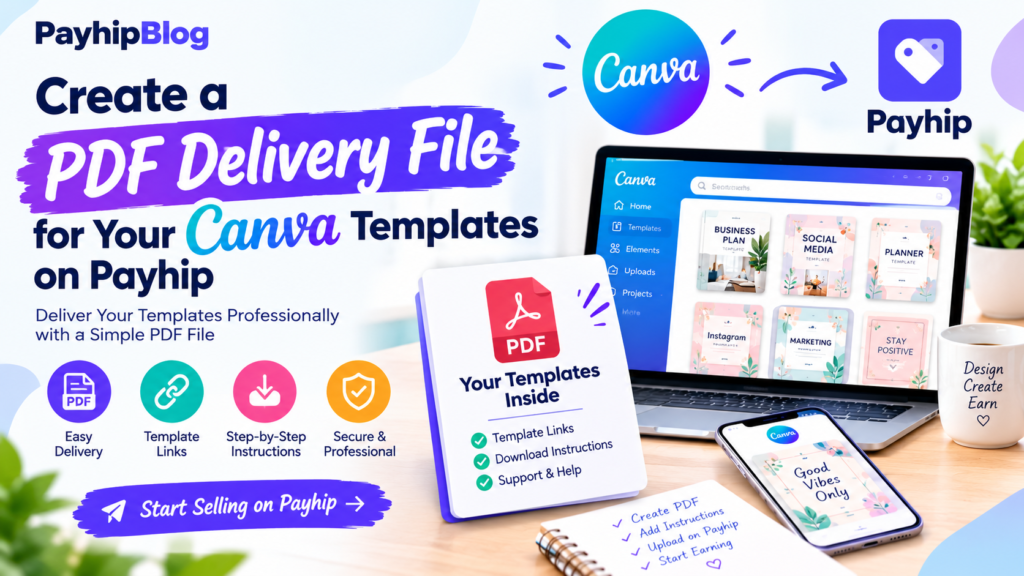
A practical method is to create a PDF that includes:
Thank you for your purchase!
Access your Canva templates here:
[Canva Template Link]
How to use the template:
- Open the link.
- Sign in to Canva or create a free Canva account if required.
- Choose the option to use the template.
- Edit the copy, colors, images, and other permitted elements.
- Download your finished design.
You can create this PDF in Canva itself.
I prefer keeping the instructions short. A customer should not need to read a five-page manual just to find the template link.
Before uploading the PDF to Payhip, test the link yourself from another browser or account. A broken template link is an avoidable customer-service problem how to sell Canva templates on Payhip.
Step 5: Create Your Payhip Store
Now you can set up your product on Payhip.
Create an account and go to the area where you can add a digital product. Give the product a clear name rather than something vague such as “My Canva Pack.”
For example:
30 Instagram Templates for Beauty Salons | Editable Canva Templates
This tells the customer what they are getting and who it is for.
Add your product description, price, preview images, and the PDF delivery file.
Payhip is useful here because the product can be delivered digitally after purchase, so you do not have to manually email every customer how to sell Canva templates on Payhip.
Before making the product public, go through the customer experience yourself.
Ask:
- Is the product title clear?
- Can I understand what I am buying in five seconds?
- Are there enough preview images?
- Is the Canva link easy to find?
- Are the instructions understandable?
- Does the product description explain exactly what is included?
- Is the price clearly displayed?
- Does checkout work?
That final test is worth doing before you send people to your store.
Step 6: Make Product Preview Images
Your Payhip product page needs good visuals.
Do not simply upload screenshots of your Canva editor with menus and browser tabs everywhere.
Instead, create clean mockups showing what the finished templates could look like.
For an Instagram template pack, for example, you could show several posts together on a phone mockup or arrange 6–9 templates in a neat grid how to sell Canva templates on Payhip.
But do not make the preview misleading.
If the product contains 20 templates, do not make a preview that looks like the customer is receiving 100.
I also recommend adding a simple image containing the words:
Includes 30 Editable Canva Templates
Then mention whether Canva Free or Canva Pro is required, if applicable to your particular product.
Clear information reduces customer confusion.
Step 7: Set a Reasonable Price
There is no universal price for Canva templates.
A simple five-template product and a carefully designed 50-template business bundle do not provide the same amount of value.
When choosing a price, consider:
- Number of templates
- Design quality
- Niche specificity
- Instructions included
- Whether additional resources are included
- How much time the template can save the buyer
- Prices of comparable products
For example, you might test a small niche pack at 7–12 and a larger, more specialized bundle at 15–30.
Those numbers are examples, not rules.
Do not automatically make your product extremely cheap because you are new. At the same time, a large price does not make a basic template pack valuable how to sell Canva templates on Payhip.
A better question is:
Would the target customer reasonably pay this amount to save several hours of design work?
Step 8: Test the Entire Buying Process
This step saved me from what could have been an embarrassing customer experience.
A product can look perfect from the seller’s side while being confusing for the buyer.
Test it as if you have never seen it before.
Purchase or otherwise test the delivery process according to your store setup, open the downloaded file, click the Canva link, and edit a template.
Try it on both a computer and phone if your audience is likely to use mobile devices.
For example, someone buying Instagram templates may be working primarily from an iPhone or Android phone. If your instructions only make sense on a desktop, rewrite them how to sell Canva templates on Payhip.
You should also check your PDF on different devices. A link that looks obvious on a laptop can be less obvious on a phone.
Step 9: Write a Product Description That Answers Real Questions
Avoid filling your description with generic marketing phrases.
Instead, tell the customer exactly what they receive.
A useful structure might be:
What’s included
- 30 editable Canva templates
- Instagram post and Story designs
- PDF access guide
- Commercial-use information, where applicable
Best for
- Beauty businesses
- Freelancers
- Small businesses
- Social media managers
You will need
- A Canva account
- Internet access
- A device capable of editing Canva designs
Please note
- This is a digital product.
- No physical item will be shipped.
- You receive a template access link rather than a finished set of customized graphics.
This type of description is much more useful than saying the product is “amazing,” “premium,” or “life-changing.”
Step 10: Promote Your Payhip Product
Creating the product is only half the job.
You still need people to discover it.
Pinterest can work well for visual products because a useful template preview can lead someone directly to your product page.
Instagram and TikTok can also be useful. Instead of repeatedly posting “Buy my templates,” show the templates being used.
For example, create a short video:
Before: blank Instagram post
After: finished restaurant promotion using your template
Or show a screen recording of changing the business name, colors, photo, and price in Canva.
That demonstrates the product instead of simply advertising it.
You can also create educational content around the same problem.
If you sell templates for photographers, you could post tips about creating Instagram content for photography businesses. The template product then becomes a natural next step for people who want to save time how to sell Canva templates on Payhip.
Common Mistakes to Avoid
Making templates too complicated
If the buyer has to move 20 elements just to change a headline, the template is not saving them much time.
Using too many fonts
Three or four different fonts in one template pack can make the designs look inconsistent. Keep your typography controlled.
Forgetting mobile users
Many customers will open Canva from a phone or tablet. Make sure your instructions are understandable on smaller screens.
Not testing your links
Never assume the Canva link works because it worked yesterday. Test the actual customer-facing link before publishing and after making significant changes how to sell Canva templates on Payhip.
Copying popular designs
Research is useful. Copying another designer’s work is not.
Create your own layouts, branding, wording, and visual system.
Making huge bundles just for the number
A 100-template pack is not automatically better than a 25-template pack.
Thirty useful templates that solve specific problems can be more valuable than 100 repetitive designs.
Ignoring customer questions
If several buyers ask the same question, your product instructions probably need improvement.
For example, if customers repeatedly ask, “Where is the Canva link?” move it to a more obvious position in your PDF.
A Simple Example Product
Suppose you want to sell a product for home-based cake businesses.
You could create a pack called:
25 Canva Instagram Templates for Cake Businesses
The templates could include:
- New cake announcement
- Birthday cake promotion
- Wedding cake promotion
- Price list
- Customer review
- Order reminder
- Limited-time offer
- New flavor announcement
- Delivery information
- Behind-the-scenes post
Then create a PDF with the Canva access link and short instructions.
On Payhip, your preview images could show nine different templates together, followed by a few individual examples.
The product page would explain exactly who the templates are for, what is included, what the customer needs, and how delivery works how to sell Canva templates on Payhip.
You could then create short Instagram or Pinterest content showing how quickly a cake business owner can customize one of the designs how to sell Canva templates on Payhip.
That is a complete digital product rather than simply a collection of pretty Canva graphics.
How to Make Your First Sale More Useful Than Just a Sale
Your first few customers can give you information that is more valuable than a simple sales number.
Pay attention to what they ask.
If someone says, “I wish this included a price-list template,” that may be an idea for your next product.
If someone says, “I couldn’t figure out how to edit the photos,” improve the instructions.
If people like the templates but consistently ask for another size, consider adding that size to a future version.
This turns your store into an ongoing product-development process.
You do not need dozens of products immediately. One well-made template pack can teach you what your audience actually wants.
Final Thoughts
Selling Canva templates through Payhip is relatively straightforward technically. The harder part is creating something that solves a real problem and making the buying experience simple how to sell Canva templates on Payhip.
Start with a narrow audience instead of trying to design for everyone. Create templates that are genuinely easy to customize. Check the current Canva licensing rules before selling. Build a clear PDF delivery file, test every link, and make your Payhip product page honest about what the customer receives how to sell Canva templates on Payhip.
Most importantly, use your early customers as feedback. If buyers struggle with something, improve it. If they repeatedly ask for a particular template, consider making it part of your next product how to sell Canva templates on Payhip.
A good Canva template does not need to be complicated. It needs to help the right person get a job done faster and with less frustration. That is what gives a digital product a reason to be purchased how to sell Canva templates on Payhip.