If you want to sell digital products online without building an e-commerce website from scratch, Payhip can be a simple place to start. You can use Payhip to sell digital downloads, courses, memberships, coaching, and physical products through an online storefront.
But creating a Payhip store is only the beginning. To actually make sales, you need to choose the right product, create a convincing product page, optimize it for search engines, and promote it to the right audience.
In this guide, you’ll learn how to sell on Payhip step by step, including how to create your store, upload your first product, price it, optimize your listing for SEO, and attract customers.
What Is Payhip?
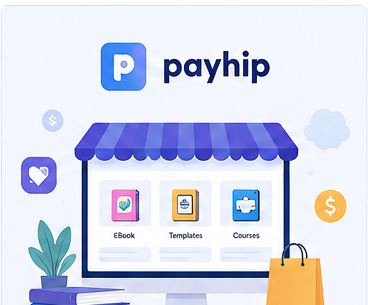
Payhip is an e-commerce platform designed for creators, entrepreneurs, and businesses that want to sell products online.
You can use Payhip to sell products such as:
- eBooks
- PDFs
- Templates
- Printables
- Digital art
- Software
- Music
- Online courses
- Memberships
- Coaching
- Physical products
Payhip provides a storefront and checkout system, while customers can purchase your products online. For digital products, customers can receive access to their downloads after completing a purchase.
How to Sell on Payhip: Step-by-Step
1. Create Your Payhip Account
The first step is to create an account on Payhip.
Payhip currently promotes a free signup with no credit card required.
After creating your account, you’ll be able to start setting up your online store.
Before adding products, make sure your store has a clear name and branding. Your store name should ideally tell potential customers what type of products you sell.
For example:
- Printable Planner Store
- Digital Marketing Templates
- Budget Spreadsheet Shop
- Fitness Ebook Store
- Canva Template Studio
A specific store identity can make your business easier to understand and remember.
2. Connect a Payment Method
Before customers can purchase your products, you need to configure your payment details.
Payhip’s official setup guide explains that you can connect supported payment accounts such as PayPal or Stripe through your account settings.
Go to your Payhip account settings and configure the available payment options for your location.
Make sure your payment information is correct before promoting your products.
3. Choose What You Want to Sell
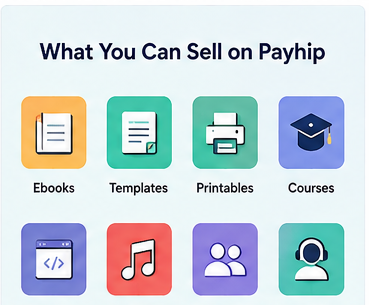
One of the most important parts of learning how to sell on Payhip is choosing a product people actually want.
You don’t necessarily need hundreds of products. One useful product aimed at a specific audience can be a better starting point than dozens of random products.
Some beginner-friendly digital product ideas include:
eBooks:
Create a practical guide that solves a specific problem.
Templates:
Sell Canva templates, spreadsheets, business documents, social media templates, or planners.
Printables:
Create planners, worksheets, checklists, calendars, and educational resources.
Courses:
Package your knowledge into a structured online course.
Digital assets:
Sell graphics, illustrations, presets, fonts, icons, or other creative resources.
Memberships:
Offer recurring access to exclusive content or resources.
Payhip supports multiple product types, including digital downloads, courses, coaching, memberships, and physical products.
4. Add Your First Product
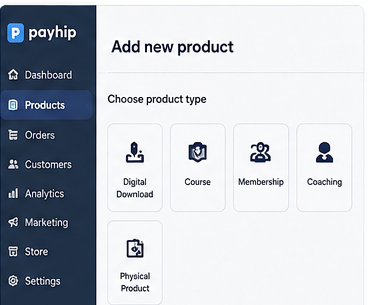
Once you know what you’re selling, go to your Products area and select the appropriate product type.
For a digital product, Payhip allows you to upload files such as PDFs, ebooks, audio, video, and other file formats. Payhip’s current documentation states that individual uploaded files can be up to 5GB.
You’ll then add important product information, including:
- Product title
- Price
- Description
- Product images
- Files
- Product visibility
- Relevant categories and tags
- Other available product options
Your product page is extremely important because it is where visitors decide whether your product is worth buying.
5. Write a Product Title That Gets Attention
Your product title should immediately explain what you’re selling.
Avoid vague titles.
For example:
Weak:
“My New Guide”
Better:
“Beginner’s Guide to Instagram Marketing”
Even more specific:
“Instagram Marketing Guide for Small Businesses: 50 Strategies to Get More Customers”
Whenever possible, naturally include the keyword or phrase your potential customers would search for.
Payhip itself recommends using relevant keywords in product titles because they help search engines understand what your product is about.
However, don’t stuff keywords into your title. Write for humans first.
6. Create a High-Converting Product Description
Your product description should answer four basic questions:
- What is the product?
- Who is it for?
- What problem does it solve?
- Why should someone buy it?
Instead of simply listing features, explain the benefits.
For example:
Feature:
“50 Canva templates.”
Benefit:
“Create professional social media posts in minutes without designing everything from scratch.”
A strong product description can include:
- A clear introduction
- The problem your product solves
- Key benefits
- What’s included
- Who the product is for
- How the product works
- Frequently asked questions
- A clear call to action
Payhip recommends creating unique, detailed product descriptions and using relevant keywords naturally rather than stuffing pages with keywords.
7. Choose the Right Price
Pricing can have a major impact on your sales.
Don’t automatically make your product extremely cheap just because you’re new.
Instead, consider:
- How much value the product provides
- How much time it saves customers
- The quality of the product
- Your target audience
- Competitor pricing
- Your experience and expertise
For example, a simple printable may cost less than a comprehensive course containing several hours of lessons.
Payhip also supports “pay what you want” pricing for applicable products.
You can test different pricing strategies as you collect data.
8. Add Professional Product Images
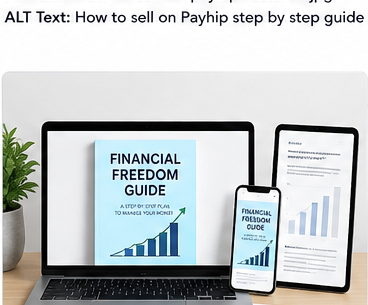
People often judge digital products by their presentation.
Create attractive product images that clearly show what customers will receive.
For example, if you’re selling an ebook, you could create:
- An ebook cover
- Interior page previews
- A “What’s Inside” graphic
- A feature comparison graphic
- A mockup showing the ebook on a phone or laptop
For templates, show examples of the actual templates.
Your images should make the product feel tangible even if the customer is buying a digital file.
Payhip also allows product image alt text, which can help search engines understand your images.
9. Optimize Your Payhip Product for SEO
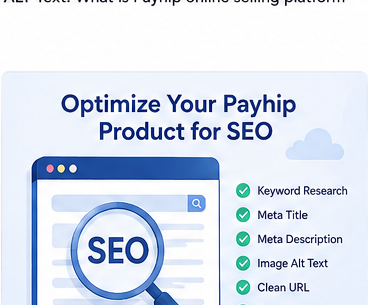
SEO can help potential customers discover your products through search engines.
Payhip provides several SEO-related options, including customizable SEO information for pages, product URLs when using a custom domain, image alt text, and sitemap functionality for custom domains.
Start by identifying keywords related to your product.
For example, if you’re selling a budgeting spreadsheet, potential keywords might include:
- budget spreadsheet
- monthly budget template
- personal budget spreadsheet
- budgeting template
- expense tracker
Use relevant keywords naturally in places such as:
- Product title
- Product description
- Page title
- SEO description
- Image alt text
- Blog content
- Relevant URLs where available
Don’t repeat the same keyword unnaturally. Search engines increasingly focus on helpful content and user experience.
10. Use Payhip’s Blog for Organic Traffic
One of the smartest ways to promote your Payhip products is to create useful content around the problems your products solve.
For example, suppose you sell a budget spreadsheet.
Instead of only promoting the product, create articles such as:
- How to Create a Monthly Budget
- How to Track Your Expenses
- 10 Simple Ways to Save Money
- Beginner’s Guide to Personal Budgeting
- How to Use a Budget Spreadsheet
At the end of relevant articles, you can introduce your product as a solution.
Payhip recommends using its blog feature to create niche-relevant content and sharing those posts to increase traffic.
11. Use Categories and Tags
If you’re eligible for Payhip’s marketplace, categories and tags can help customers discover your products.
Payhip’s current marketplace documentation says sellers can submit products through the Category & Tags section. It also states that marketplace eligibility requires at least $10 USD in total sales and an account review, while individual products must be approved.
Choose categories and tags that accurately describe your product.
For example, a social media template pack might use tags related to:
- Social media
- Canva
- Templates
- Content creation
Don’t use irrelevant tags simply to get more exposure. Relevance is more valuable than quantity.
12. Promote Your Payhip Store
Creating a product doesn’t automatically mean customers will find it.
You need a traffic strategy.
You can promote your Payhip store through:
Google and SEO
Create useful content that targets questions your ideal customers are searching for.
Create attractive pins that lead visitors to relevant product pages or helpful articles.
Use Reels, Stories, posts, and your profile link to showcase your products.
TikTok
Create short educational or entertaining videos related to the problem your product solves.
YouTube
Create tutorials, reviews, demonstrations, and educational videos.
Email marketing
Build an email list and regularly provide useful information instead of sending only promotional messages.
Payhip itself recommends strategies such as SEO, email marketing, referral discounts, and paid advertising as ways to promote products.
13. Build Trust Before Asking for the Sale
People are more likely to purchase when they trust the seller.
You can build trust by:
- Showing examples of your work
- Providing useful free content
- Answering customer questions
- Adding testimonials when you have them
- Explaining exactly what buyers receive
- Creating a professional storefront
- Being transparent about your product
Payhip also supports customer reviews, which can add useful user-generated content to product pages.
14. Create a Free Product or Lead Magnet
If you’re starting from zero, consider creating a small free product.
For example, if your main product is a $20 social media template bundle, you could offer five templates for free.
The free resource gives potential customers a reason to discover your brand.
Then you can introduce your paid product to people who are already interested in your niche.
This approach can be especially useful for building an email audience.
15. Track What Works
Don’t assume your first product, title, price, or marketing strategy will be perfect.
Test different approaches.
Pay attention to:
- Product views
- Traffic sources
- Conversion rate
- Sales
- Best-performing products
- Customer questions
- Popular content
- Repeat customers
If many people visit your product page but few purchase, your problem may be the product positioning, price, description, trust signals, or offer.
If almost nobody visits the page, focus more on traffic and SEO.
How to Get More Sales on Payhip
Once your store is live, focus on three things:
Get More Targeted Traffic
Don’t just chase large numbers of visitors.
You want people who actually need your product.
For example, 100 visitors searching specifically for “Canva Instagram templates” may be more valuable than 1,000 random visitors.
Improve Your Product Page
Test:
- Better product images
- A clearer headline
- Stronger benefits
- More detailed descriptions
- Testimonials
- FAQs
- Better calls to action
Create More Useful Content
Content marketing can continuously bring new people into your sales funnel.
Create content that answers your target customer’s questions and naturally connects those questions to your products.
Common Payhip Selling Mistakes to Avoid
Mistake 1: Selling Something Nobody Wants
Don’t create a product simply because you can.
Research your audience first.
Mistake 2: Using a Generic Product Title
Your title should tell people exactly what they’re getting.
Mistake 3: Writing a Short, Weak Description
A product description is your salesperson.
Explain the product, benefits, audience, contents, and expected outcome.
Mistake 4: Keyword Stuffing
SEO doesn’t mean repeating the same keyword dozens of times.
Use keywords naturally and prioritize helpful content.
Mistake 5: Relying on Only One Traffic Source
Don’t depend entirely on Instagram, TikTok, Google, or another platform.
Build multiple sources of traffic over time.
Mistake 6: Giving Up Too Quickly
SEO and content marketing can take time.
Instead of expecting instant results, consistently improve your products, content, and marketing.
Frequently Asked Questions About Selling on Payhip
Can beginners sell on Payhip?
Yes. Payhip is designed to make online selling accessible, and its platform supports products including digital downloads, courses, memberships, coaching, and physical products.
What can I sell on Payhip?
You can sell many types of products, including ebooks, templates, printables, software, music, courses, memberships, coaching, and physical products.
Do I need a website to sell on Payhip?
No separate website is necessarily required. Payhip provides an online storefront where you can showcase your products and accept purchases.
How do I sell digital products on Payhip?
Create your account, configure payments, add a digital product, upload your files, set the product title and price, write your description, add images, optimize the listing, and publish it. Payhip’s current digital-product guide confirms that multiple files can be uploaded and product details can then be configured.
How can I get customers on Payhip?
You can use SEO, blogging, social media, email marketing, referrals, affiliates, paid advertising, and other marketing strategies. Payhip itself recommends several of these approaches.
Does Payhip have a marketplace?
Yes. Payhip has a marketplace designed to help customers discover products outside a seller’s existing audience. Current marketplace requirements include at least $10 USD in total sales, account review, and product approval.
Final Thoughts: How to Sell on Payhip Successfully
Learning how to sell on Payhip is relatively straightforward, but building consistent sales requires more than uploading a product.
Start with a product that solves a specific problem. Create a professional product page, write a compelling description, use relevant keywords, optimize your images, and promote your store through multiple channels.
Most importantly, focus on your customers.
The best Payhip stores don’t simply say, “Buy my product.” They clearly communicate who the product is for, what problem it solves, and why it is worth paying for.
Start with one excellent product, learn from your first customers, improve your marketing, and gradually build your product catalog.
With consistent SEO, content marketing, and promotion, your Payhip store can become a valuable channel for selling your digital products online.
Quick Action Plan
- Create your Payhip account.
- Connect your payment method.
- Choose one specific product to sell.
- Create a professional product listing.
- Write an SEO-friendly title and description.
- Add attractive product images.
- Choose relevant categories and tags.
- Publish your product.
- Create helpful content around your target keyword.
- Promote your product consistently.
- Collect customer feedback and reviews.
- Improve your product and sales strategy based on your results.
Next Read: PAYHIP