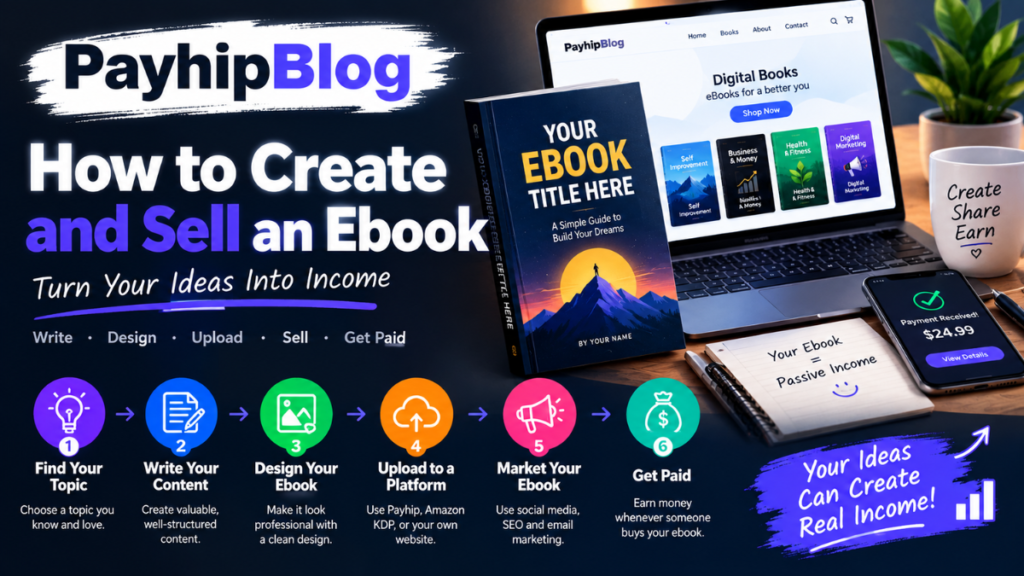
how to create and sell an ebook I used to think creating an ebook meant writing 100 or more pages, designing a fancy cover, and somehow getting it listed on Amazon. That idea made the whole process feel much harder than it actually is.
The first useful lesson I learned was that an ebook does not need to be huge to be useful. A focused guide that solves one specific problem can be more valuable than a 200-page book filled with general information how to create and sell an ebook.
For example, an ebook called “A Beginner’s Guide to Growing Tomatoes on a Balcony” has a clear purpose. So does “How to Build Your First WordPress Website Without Coding.” The reader knows what they are getting and who the book is for how to create and sell an ebook.
If you are thinking about creating and selling your first ebook, the process can be broken into a few practical stages: choosing a useful topic, planning the book, writing it, designing it, preparing the files, choosing where to sell it, and then finding readers.
Here is how I would approach the process from scratch.
1. Start With a Problem, Not a Book Title
One of the easiest mistakes is starting with a title before deciding what problem the ebook will solve.
Instead of asking:
“What ebook should I write?”
ask:
“What problem can I help someone solve?”
That small change makes planning much easier.
Suppose you know a lot about Excel. You could write a broad book called “Learning Microsoft Excel.” That is difficult to position because it covers an enormous subject how to create and sell an ebook.
A more focused idea might be:
- Excel formulas for small business owners
- A beginner’s guide to Excel budgets
- Excel shortcuts for office workers
- How to create a simple inventory spreadsheet
- Excel for students who have never used formulas
The narrower topic gives you a clearer audience.
A simple way to test an idea
Before spending weeks writing, search for questions people are already asking.
Look at:
- Reddit discussions
- Quora questions
- YouTube comments
- Facebook groups
- Amazon book reviews
- Google search suggestions
- Forums related to your subject
You are looking for repeated problems.
If people repeatedly ask how to organize their freelance invoices, for example, that could become an ebook topic.
Don’t copy questions or answers from other people. Use them to understand what readers actually need.
2. Decide Who the Ebook Is For
A book written for everyone usually feels like it was written for nobody.
Imagine you are writing a guide about personal budgeting.
Compare these two audiences:
Audience A: Everyone who wants to save money.
Audience B: Young freelancers who have irregular monthly income and need a simple budgeting system.
Audience B is much easier to write for.
You can choose examples that match their situation. You can discuss irregular payments, business expenses, taxes they need to research, and months when income is lower than expected how to create and sell an ebook.
This also makes your marketing clearer later.
When I plan an ebook, I like to write one simple sentence:
“This book is for [type of person] who wants to [specific result] without [major frustration].”
It does not have to appear in the finished book. It is simply a useful writing guide.
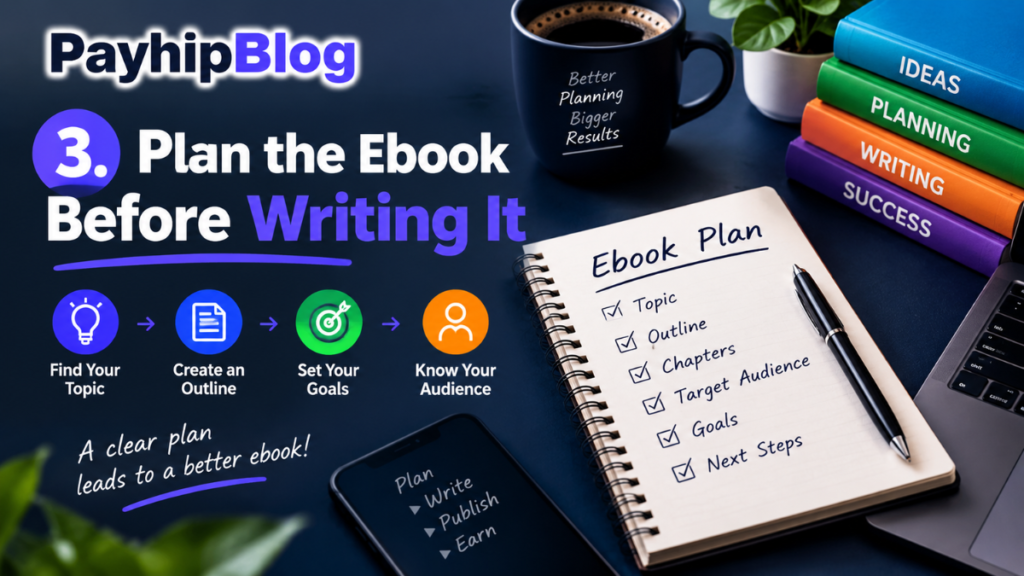
3. Plan the Ebook Before Writing It
Opening Microsoft Word or Google Docs and immediately writing chapter one can create problems later.
You may repeat yourself, discover that important information is missing, or spend 20 pages explaining something that should have taken five how to create and sell an ebook.
Create a basic outline first.
For example, a beginner’s ebook about starting a small online store might look like this:
- Choosing a product
- Understanding your customer
- Setting up the store
- Taking product photos
- Writing product descriptions
- Setting prices
- Accepting payments
- Handling orders
- Common beginner mistakes
- A simple 30-day action plan
That is enough to begin.
Don’t try to make the outline perfect. Your structure will probably change while writing.
Use questions to build each chapter
For every chapter, ask:
- What does the reader need to know?
- Why does it matter?
- How do they actually do it?
- What mistake might they make?
- What example can I provide?
- What should they do after reading this section?
This produces much more useful content than filling pages with definitions.
4. Write Like You Are Helping One Person
This is where many ebooks become difficult to read.
A writer explains everything in a formal, distant style:
“Entrepreneurs should leverage appropriate digital tools to optimize their workflow.”
A human-friendly version would be:
“You don’t need five different apps to manage your first ebook. Start with one writing app, one design tool, and a place to store your files how to create and sell an ebook.”
The second version is easier to understand.
When writing, imagine that a friend has asked you for help.
Explain what you would actually tell them.
If you have personal experience with the subject, include it.
For example:
“The first time I created a digital guide, I spent far too long changing fonts and moving headings around. The content was not the problem. I was simply designing before I had finished writing. Now I finish the manuscript first and design afterward how to create and sell an ebook.”
Small details like this make a guide feel practical.
They also help readers avoid mistakes you have already made.
5. Don’t Try to Make the Ebook Longer Than Necessary
More pages do not automatically mean more value.
If a reader needs a 40-page guide to complete a task, there is little reason to stretch it to 120 pages.
A useful ebook might be:
- 30 pages
- 50 pages
- 80 pages
- 150+ pages
The appropriate length depends on the subject.
A short practical guide can work particularly well for topics such as checklists, beginner tutorials, templates, workflows, and specific how-to instructions how to create and sell an ebook.
What matters is whether the reader can actually use the information.
If a chapter is only there because you want to increase the page count, remove it.
6. Use Real Examples Throughout the Book
Examples are one of the easiest ways to turn an abstract explanation into something useful.
Let’s say you are explaining how to calculate profit.
Don’t only provide the formula.
Give a simple example:
Imagine someone sells handmade notebooks for $15 each. The notebook costs $5 to produce, packaging costs $1.50, and payment or selling fees need to be accounted for how to create and sell an ebook.
The reader can now see how the numbers work in a real situation.
You can also use fictional examples. Just make it clear that they are examples rather than claims about actual customers or earnings how to create and sell an ebook.
Avoid promising results such as:
“This method will make you $5,000 every month.”
Instead, explain the process and let readers decide whether it fits their situation.
7. Choose Your Writing and Design Tools
You don’t need expensive software to create your first ebook.
A simple setup can be enough:
Writing
You can use:
- Google Docs
- Microsoft Word
- Apple Pages
- LibreOffice Writer
Google Docs is particularly convenient if you want automatic cloud saving and access from both your phone and computer.
Cover and graphics
Canva is commonly used for ebook covers and simple graphics. Adobe Express is another option.
Don’t overcrowd the cover.
A simple cover with a readable title usually works better than one containing ten different fonts and images.
Images
If you use photographs, illustrations, icons, or other third-party material, make sure you have the necessary rights to use them commercially how to create and sell an ebook.
This is an important area where beginners sometimes get careless.
Finding an image through Google does not automatically mean you can put it inside a book you sell.
8. Format the Ebook Properly
Your manuscript may look perfect on your laptop and still look terrible on a phone or ebook reader.
Before publishing, check:
- Headings
- Paragraph spacing
- Page breaks
- Table of contents
- Images
- Links
- Captions
- Lists
- Headers and footers
- Font size
- Special characters
If you are creating a PDF, open the final file on at least two different devices.
For example, check it on your computer and Android phone.
You may discover that an image is cut off, a heading has been pushed to a strange page, or a link doesn’t work.
For ebooks intended for dedicated ebook platforms, follow the platform’s current formatting requirements rather than assuming a PDF is the correct format how to create and sell an ebook.
9. Create a Professional Cover
Readers do judge a book by its cover, especially online.
You don’t need to hire a professional designer for your first ebook, but the cover should look intentional.
Keep the design simple:
Title
Short subtitle if necessary
Author name
One relevant visual element
For example:
THE FREELANCER’S
MONEY GUIDE
A Simple System for Managing Irregular Income
By Your Name
Make sure the title remains readable when the cover is displayed as a small thumbnail.
This is something I would test before publishing. If you can barely read the title when the cover is reduced on your phone, potential buyers may have the same problem how to create and sell an ebook.
10. Choose Where You Want to Sell
You have several options, and they work differently.
Amazon Kindle Direct Publishing
Amazon KDP allows authors to publish ebooks for Kindle readers and sell them through Amazon marketplaces.
It can be useful if you want access to an established book marketplace.
However, don’t assume uploading a book automatically means people will find it. Your title, description, cover, category choices, pricing, and reader interest all matter how to create and sell an ebook.
Check Amazon’s current publishing requirements before uploading because platform rules and royalty options can change.
Your own website
Selling directly through your own website gives you more control over the customer experience.
You could use an ecommerce or digital-product service to handle payments and file delivery.
The advantage is that you can build your own audience rather than depending entirely on a marketplace.
The disadvantage is that you need to bring visitors to the website yourself.
Digital product platforms
Platforms such as Gumroad and Payhip are also used by creators to sell digital products.
They can be convenient if you don’t want to build a complete ecommerce website from scratch.
Before choosing a platform, check its current fees, payment availability in your country, supported currencies, tax handling, and digital-product rules how to create and sell an ebook.
That last part matters more than people expect.
A platform that works perfectly for someone in the United States may not offer exactly the same payment options to a seller in another country how to create and sell an ebook.
11. Price the Ebook Sensibly
Pricing is not about choosing the highest number possible.
Think about:
- How specific is the problem?
- How useful is the information?
- How much time does the ebook save?
- Who is buying it?
- How much competing material is available?
- Are you selling only the ebook or including extras?
A short beginner guide might have a different price from a detailed professional reference book.
You can also test pricing over time rather than treating your first price as permanent.
For example, you might launch at one price, collect feedback, improve the book, and then adjust the price.
Don’t use fake discounts or pretend that an ebook was previously sold for a much higher price if it wasn’t.
Honest pricing is better for building long-term trust.
12. Make the Product Page Useful
Your sales page should answer the questions a potential reader is likely to have.
Explain:
- Who the ebook is for
- What problem it addresses
- What readers will learn
- What is included
- The approximate length or format when useful
- Which devices or apps can open it
- Whether templates or bonus files are included
- What the ebook does not cover
The last point can be surprisingly useful.
If your book is for complete beginners, say so.
If it does not cover advanced techniques, don’t imply that it does.
Clear expectations can reduce disappointed customers.
13. Get Your First Readers Without Spamming Everyone
You don’t need to send your ebook to every person you know.
Start where your target readers already spend time.
If your ebook is about photography, useful channels might include a photography newsletter, YouTube channel, Instagram account, website, or relevant online community how to create and sell an ebook.
If your book is about Excel for freelancers, LinkedIn content, a personal website, or professional communities may be more relevant.
One approach I like is to publish genuinely useful free content related to the ebook.
For example, if the ebook teaches people how to organize a freelance business, publish a free article explaining one small part of that process how to create and sell an ebook.
The article helps the reader on its own. At the end, you can mention that a more detailed guide is available.
That feels much better than publishing ten posts that all say, “Buy my ebook.”
14. Collect Feedback Before You Call It Finished
Give an early version to a small number of people who match your intended audience.
Don’t just ask:
“Did you like it?”
Ask better questions:
- Which chapter was most useful?
- Where did you get confused?
- Was anything missing?
- Which section felt too long?
- Were the instructions easy to follow?
- Did any step fail when you tried it?
- What did you expect to find but couldn’t?
This feedback can uncover problems that are invisible to the author.
You may understand a process so well that you accidentally skip steps.
A beginner will notice those missing steps immediately.
15. Don’t Ignore Updates
Digital products have an advantage over printed books: you can update them.
Software changes. Websites redesign their interfaces. Platform policies change. Screenshots become outdated.
If your ebook explains how to use a particular application, check the instructions periodically.
For example, if a chapter contains screenshots from an older version of a tool, readers may struggle to follow it even if the basic concept is still correct how to create and sell an ebook.
Keep your original source files organized so you can make revisions without rebuilding the entire book.
I recommend keeping:
- Manuscript file
- Cover file
- Original images
- Source graphics
- Final PDF
- Ebook version
- Changelog or update notes
Store them in a clearly named folder, preferably backed up in cloud storage.
Common Ebook Mistakes to Avoid
A few mistakes appear again and again.
Writing before researching the reader
You can spend months writing something that nobody specifically wants.
Making the topic too broad
“Everything About Fitness” is difficult to make focused.
“How to Build a Simple Home Workout Routine for Beginners” gives you a much clearer direction.
Designing too early
It is tempting to spend an afternoon making the cover while the manuscript is still unfinished.
Finish the core content first.
Using copyrighted material without permission
Don’t copy articles, photographs, charts, illustrations, or other protected material simply because it is available online.
Making unrealistic income claims
Your own results do not guarantee that another person will get the same results.
Talk about what you actually experienced and explain the conditions around those results.
Forgetting mobile readers
Many people will preview your ebook on a phone or tablet. Check how it looks there.
Never updating the book
A digital product can become outdated surprisingly quickly.
A Simple First-Ebook Workflow
If I were starting from zero today, I’d keep the process simple:
Day 1–2: Choose a narrow problem and research the audience.
Day 3: Create the outline.
Days 4–14: Write the first draft.
Days 15–17: Edit and reorganize.
Day 18: Create the cover and supporting graphics.
Day 19: Format the ebook.
Day 20: Test it on different devices.
Days 21–23: Let a few target readers review it.
Days 24–25: Fix problems and prepare the final files.
Day 26: Create the sales page.
Day 27: Upload and check everything carefully.
Day 28 onward: Publish useful content, talk to potential readers, collect feedback, and improve the book.
Your timeline can obviously be longer or shorter. A detailed technical book may take months, while a small practical guide could be completed much faster how to create and sell an ebook.
The important thing is to avoid spending six months preparing a product that could have been tested with real readers much earlier.
The Part Most Beginners Underestimate
Writing the ebook is only half the job.
The other half is understanding how people will discover it.
You can have excellent information inside a beautifully formatted ebook and still get very few sales if the right readers never see it how to create and sell an ebook.
That’s why I would treat the ebook as one part of a larger system.
The ebook provides the detailed solution. Your website, newsletter, videos, social posts, search traffic, or marketplace listing help people discover it how to create and sell an ebook.
Over time, reader questions can also give you ideas for improving the book.
Maybe readers repeatedly ask about one particular topic. That could become a new chapter, a companion workbook, a template, or even another ebook how to create and sell an ebook.
The process becomes much easier once you stop thinking of an ebook as a one-time document and start treating it as a useful product that can be improved how to create and sell an ebook.
Final Thoughts
Creating an ebook does not require a publishing company, expensive equipment, or a huge audience.
A laptop, a writing application, basic design software, careful research, and a genuinely useful topic are enough to get started.
The difficult part is not pressing the publish button. It is choosing a problem worth solving and then solving it clearly.
Start small if this is your first attempt. Pick a subject you understand, focus on a specific reader, use real examples, test the instructions, and don’t be afraid to remove material that doesn’t help how to create and sell an ebook.
Your first ebook probably won’t be perfect. Mine wouldn’t be either.
What matters is that a real person can open it, follow the instructions, and walk away knowing how to do something they couldn’t do before how to create and sell an ebook.