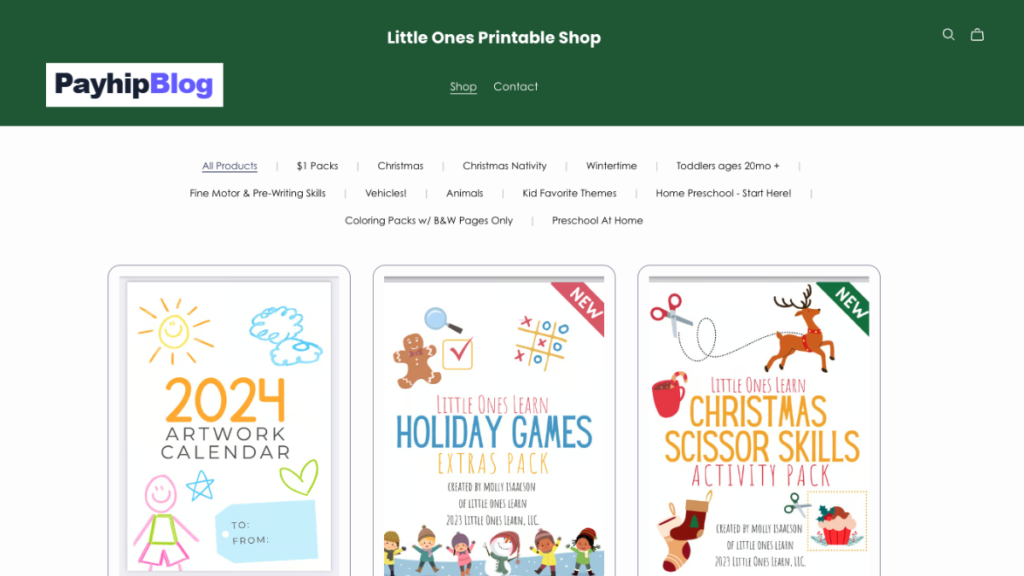
Selling a PDF online can be much easier than setting up a complete ecommerce website. If you already have something useful in PDF format, such as an ebook, study guide, recipe book, workbook, checklist, template, planner, or business guide, you can turn it into a digital product how to sell PDFs on Payhip.
One platform that makes this process fairly straightforward is Payhip. You can upload a PDF, create a product page, choose a price, connect a payment method, and share your product link with potential customers. Payhip also handles the digital delivery after a successful purchase.
I like this approach because you do not need to build a shopping cart, create a download system, or manually email every customer a PDF. The important work is creating something people actually want, presenting it properly, and getting the product in front of the right audience how to sell PDFs on Payhip.
This guide explains how to sell PDFs on Payhip from start to finish, including preparing your PDF, uploading it, pricing it, testing the checkout, and promoting it.
What Can You Sell as a PDF?
Before opening Payhip, decide exactly what your customer is buying.
A PDF can be much more than a traditional ebook. For example, you could sell:
- Recipe books
- Fitness planners
- Study notes
- Programming guides
- Resume templates
- Business checklists
- Printable planners
- Digital worksheets
- Language-learning resources
- Photography guides
- Freelancing guides
- Social media content calendars
- Budget planners
- Children’s activity books
- Educational workbooks
- Research guides
- Travel planners
The key is usefulness.
A 30-page PDF that solves a specific problem can be more valuable than a 150-page document filled with information that the reader does not know how to use how to sell PDFs on Payhip.
For example, instead of creating a general PDF called “Learn Digital Marketing,” you could create something more specific such as “30-Day Social Media Content Planner for Small Businesses.”
The second idea tells the customer exactly what they are getting and who it is for.
Prepare Your PDF Before Uploading It
One mistake beginners make is creating a PDF and immediately uploading it without checking the final file.
Take some time to open the finished PDF on your computer and phone.
I normally recommend checking it on at least two devices. For example, open it in Adobe Acrobat Reader on a Windows laptop and then check it on an Android phone. This can reveal formatting problems that are easy to miss on a large screen how to sell PDFs on Payhip.
Check the following:
- Spelling and grammar
- Page numbers
- Images
- Headings
- Links
- Table of contents
- Margins
- Font sizes
- Page breaks
- Mobile readability
- File name
A clean file name is also useful. Instead of:
finalebooknew2.pdf
use something like:
30-day-social-media-planner.pdf
It looks more professional and is easier to identify later.
If your PDF contains clickable links, test every important link before selling it.
You should also make sure you own the rights to the content. Do not simply download somebody else’s ebook, course material, images, or paid PDF and upload it to Payhip as your own product.
Create a Payhip Account
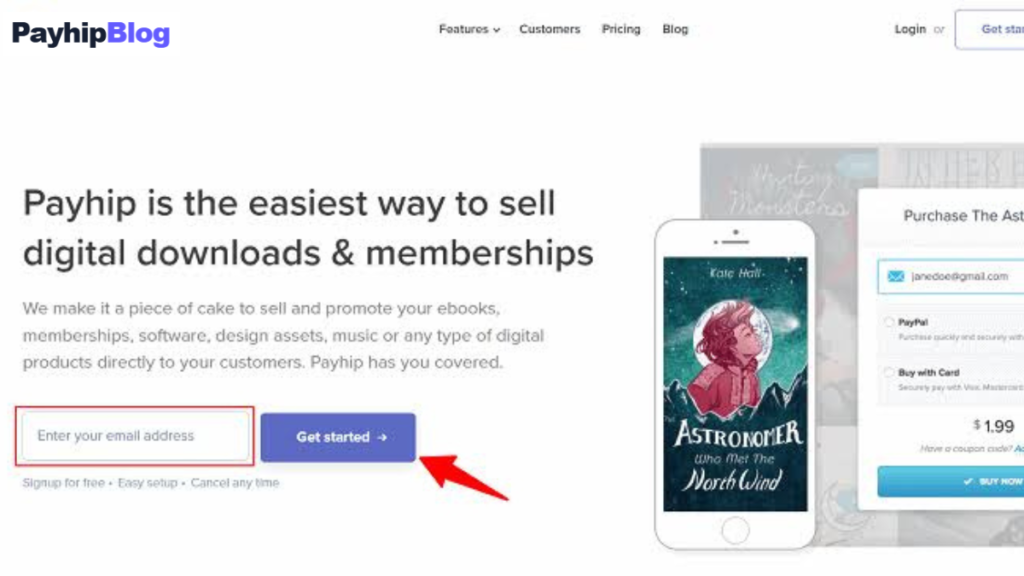
The first step is to create your Payhip account.
Payhip currently offers a free plan with a 5% transaction fee. It also has paid plans with lower or no Payhip transaction fees. Payment processors such as PayPal or Stripe may still charge their own processing fees how to sell PDFs on Payhip.
For someone testing their first PDF, starting with the free plan can make sense because you can create your product without committing to a monthly subscription how to sell PDFs on Payhip.
After creating your account, you will need to connect an available payment processor so customers can pay you.
Payhip currently supports payment through providers such as PayPal and Stripe, although the payment options available to you can depend on your location and account setup how to sell PDFs on Payhip.
Before spending time promoting your PDF, make sure your payment setup is working.
Upload Your PDF to Payhip
Once your account is ready, go to the Products section of your Payhip dashboard.
Choose the option to add a digital product.
Payhip’s current process allows you to upload digital files, including PDFs. Each uploaded file can be up to 5GB how to sell PDFs on Payhip.
The basic process is:
- Open your Payhip dashboard.
- Go to Products.
- Select Add New Product.
- Choose Digital Product.
- Upload your PDF.
- Add your product title.
- Set your price.
- Add a product image.
- Write the product description.
- Configure the available product settings.
- Publish the product.
You can also upload multiple files to one digital product. This is useful if your PDF is part of a larger package.
For example, imagine you are selling a freelance starter package.
Instead of selling only one PDF, you could provide:
Freelancing-Guide.pdf
Client-Proposal-Template.pdf
Invoice-Template.pdf
Freelancer-Checklist.pdf
The customer gets a more useful package, while you can still manage it as one digital product how to sell PDFs on Payhip.
Create a Strong Product Title
Your title is one of the first things a potential buyer sees.
Avoid vague titles such as:
“Business PDF”
“Useful Guide”
“My Ebook”
These do not explain enough.
A stronger title identifies the subject and the intended result.
For example:
“Freelancing Starter Guide for Beginners”
“30-Day Meal Planning Workbook”
“Python Programming Practice Workbook”
“Small Business Social Media Content Planner”
“Beginner’s Guide to Budget Planning”
The goal is not to make the title complicated. It should quickly answer the question:
“What is this PDF?”
Design a Professional Cover
A good PDF deserves a good product image.
You do not necessarily need Photoshop. Tools such as Canva can be enough for creating a simple cover.
For example, if you are selling a PDF called “Instagram Content Planner,” your cover could include:
Instagram Content Planner
30-Day Content Calendar
Ideas + Planning Sheets
Beginner Friendly
Keep the design readable.
Do not fill the cover with ten different fonts, too many colors, or tiny text.
Remember that potential customers may see the product image as a small thumbnail on a phone.
A simple design that remains readable at a small size is often more useful than an extremely complicated design.
Write a Product Description That Explains the Value
Your product description should help the customer understand what they are buying.
Instead of writing:
“This is a PDF about social media. It contains useful information.”
Explain exactly what is inside.
For example:
“This 30-day social media planner helps small business owners organize their content without spending hours deciding what to post. It includes daily content prompts, planning pages, caption ideas, and a simple weekly review section.”
Then explain what the buyer receives.
For example:
What you’ll get:
- 30-day content planner
- Weekly planning worksheets
- Caption prompts
- Content checklist
- Printable PDF format
You can also explain who the PDF is suitable for.
For example:
“This guide is designed for beginners, freelancers, small business owners, and creators who want a simple content-planning system.”
This is much more useful than trying to make the description sound overly promotional.
Choose the Right Price
Pricing is one of the harder decisions when selling a PDF.
There is no universal price that works for every type of document.
A short checklist might be inexpensive, while a detailed professional workbook containing templates and practical exercises could reasonably cost more.
Instead of asking, “What price makes me the most money?” ask:
“What is this product worth to the person using it?”
For example, suppose your PDF helps a freelancer create a professional proposal, invoice, and client onboarding system.
If those resources save the customer several hours of work, the value may be greater than that of a simple five-page ebook.
You can also experiment with different prices over time rather than assuming your first price is perfect.
Payhip supports Pay What You Want pricing for digital products. For example, entering 5+ allows a customer to pay at least $5 while choosing to pay more.
This can be useful for certain products, although a normal fixed price may make more sense for a specialized guide.
Give Customers a Preview
A customer cannot physically pick up your PDF before purchasing it.
That creates a trust problem.
One way to address it is by providing a preview.
Payhip supports preview files for digital products.
For example, if your main PDF contains 80 pages, you might provide a sample containing several pages.
A useful preview could show:
- The introduction
- One completed example
- A sample worksheet
- A few pages from the main guide
- The table of contents
The preview should demonstrate the quality of the product without simply giving away the entire thing.
Think of it as allowing someone to look inside a book before buying it.
Consider PDF Protection
Digital products have one obvious problem: they can potentially be copied and shared.
No system can guarantee that a digital file will never be shared, but you can use reasonable measures to discourage casual redistribution.
Payhip offers PDF stamping, which can add buyer purchase details to pages of a PDF. Payhip describes this feature as a way to discourage customers from illegally sharing purchased PDFs.
You should also consider adding a simple copyright and usage notice inside your document.
For example:
“This PDF is licensed for personal use only. Please do not redistribute, resell, or upload this file to other websites.”
The exact terms should match what you actually intend to allow.
If you permit commercial use, resale, or modification, clearly explain those permissions instead how to sell PDFs on Payhip.
Test the Buying Process Before Promotion
This is one of the steps I would not skip.
Imagine spending several days promoting a PDF only to discover that the checkout or download experience has a problem.
Payhip provides a way to test the checkout flow using a 100% off coupon. Its help documentation explains that this lets you go through the purchase process yourself how to sell PDFs on Payhip.
Use the test to check:
- Product page
- Checkout
- Payment flow
- Download page
- Email receipt
- PDF download
- File opening
- Mobile experience
Open the download on your phone as well as your computer.
Payhip says customers can download their files immediately after completing a purchase and receive an email containing a download link for future access.
This automatic delivery is one of the useful parts of selling a digital product.
You do not have to wake up at 2 a.m. because somebody bought your PDF and manually send an email how to sell PDFs on Payhip.
Make Your Payhip Product Page Easy to Understand
Your product page should answer common buyer questions quickly.
A useful structure could be:
Product title
A clear one-sentence explanation.
Who is it for?
Explain the intended audience.
What is included?
List the files and important sections.
What will I learn or be able to do?
Explain the practical benefit.
File format
For example, PDF.
Number of pages
If relevant.
How will I receive it?
Explain that it is a digital download.
Important usage information
Mention personal-use or commercial-use terms if applicable.
This reduces uncertainty.
A customer should not have to send you five messages just to discover whether the product is a PDF.
Start Promoting Your PDF
Uploading your product does not automatically mean people will find it.
You need traffic.
The good news is that you do not necessarily need a large advertising budget.
You can start with platforms where your target audience already spends time.
Depending on your topic, these might include:
- YouTube
- TikTok
- Reddit communities where promotion is allowed
- Your own blog
- Email newsletters
The important part is matching the platform to the product.
For example, a printable meal planner may work well with visual content on Pinterest.
A programming workbook might be promoted through YouTube tutorials or a programming blog.
A business PDF might fit LinkedIn content.
A photography guide could be demonstrated through Instagram or YouTube.
Instead of repeatedly posting “Buy my PDF,” create useful content related to the problem your PDF solves.
For example, if your PDF is a Python beginner workbook, you could publish a short tutorial showing how to write a basic Python program how to sell PDFs on Payhip.
At the end, you can mention that a complete practice workbook is available for people who want additional exercises.
That feels much more natural than posting the same sales message every day.
Use Free Content to Sell Paid Content
One strategy that can work well is giving away useful information while keeping the complete resource paid how to sell PDFs on Payhip.
Suppose you sell a “Freelancing Starter Guide.”
You could publish free articles such as:
“How to Write Your First Freelance Proposal”
“5 Mistakes New Freelancers Make”
“How to Create a Simple Freelance Portfolio”
Each article solves one small problem.
Your paid PDF can then provide a complete system with templates, checklists, and examples.
This creates a logical relationship between your free content and your paid product.
The free content attracts people who are interested in the subject, while the paid product gives them a more complete resource.
Common Mistakes When Selling PDFs
The biggest mistake is creating a product nobody specifically needs.
A beautiful PDF is still difficult to sell if there is no clear customer problem behind it.
Another mistake is trying to cover everything.
A beginner guide that tries to teach 20 different subjects may become confusing.
Specific products can be easier to explain.
Another common problem is poor formatting.
A PDF can contain excellent information but still feel unprofessional if headings are inconsistent, pages are crowded, images are blurry, or the font is difficult to read.
Pricing too low can also create problems.
Some beginners assume that a $1 PDF will automatically sell more than a $10 PDF.
That is not necessarily true.
People evaluate the usefulness of the product, not just the number on the price tag.
Finally, do not forget to update your product.
If your PDF teaches software such as WordPress, Excel, Photoshop, or another frequently updated tool, information can become outdated.
When you update the PDF, Payhip allows you to update digital product files and other product information.
A Simple Example of a First Payhip PDF
Let’s say you are interested in programming and decide to create a PDF called:
“50 C# Practice Programs for Beginners”
You could create a 60-page PDF containing:
- Variables
- Data types
- Conditions
- Loops
- Arrays
- Methods
- Classes
- Basic object-oriented programming
- Practice questions
- Answers and explanations
You create the document using Microsoft Word or Google Docs, export it as a PDF, and design a simple cover using Canva.
Then you upload it to Payhip.
Your product description explains exactly what students receive.
You could price it at a reasonable introductory price and create a preview containing the table of contents and several sample exercises.
After publishing, you could create short YouTube videos demonstrating individual C# programs.
For example, a video titled “C# Fibonacci Series for Beginners” could teach the concept and then mention the complete practice workbook.
Now the PDF is not being promoted randomly. It is connected to useful content that attracts people who are already interested in the subject.
That is the type of connection I would focus on when starting.
Can You Sell PDFs Without Your Own Website?
Yes.
One of the useful aspects of Payhip is that you can use its storefront rather than building a complete ecommerce website from scratch. Payhip provides a store URL that you can share with potential customers. It also supports adding a custom domain and embedding checkout on another website.
That means a beginner does not necessarily need WordPress, WooCommerce, hosting, a custom checkout system, and a separate digital-delivery system just to sell one PDF.
If you already have a blog or website, however, embedding a checkout can be useful because you can keep visitors on your own site.
Can You Manage Your Store From a Phone?
Payhip has a mobile app that allows sellers to monitor sales, analytics, and order notifications. However, Payhip’s current documentation says product uploads and store design changes still need to be managed through the web dashboard.
So if you are creating and uploading a PDF, I would use a laptop or desktop browser when possible.
A phone is more useful for checking notifications, monitoring activity, and keeping an eye on sales while you are away from your computer.
What Happens After Someone Buys Your PDF?
The advantage of digital delivery is that the customer does not have to wait for shipping.
After a successful purchase, Payhip provides access to the digital download. Payhip also says customers receive an email receipt containing a download link.
This makes PDFs particularly convenient for products that customers want immediately.
There is also no physical inventory to store.
You create the PDF once and can potentially sell the same digital file repeatedly, subject to your rights, licensing terms, and the platform’s rules.
That does not mean sales happen automatically, though.
The product still needs to be useful, discoverable, clearly presented, and supported when customers have questions.
How I Would Approach a First PDF
If I were starting from zero, I would not spend weeks creating a giant ebook before testing the idea.
I would start with one specific problem.
For example:
“How to Create a Professional Resume for a Software Engineering Internship”
Then I would create a focused PDF around that problem.
I would make the document useful enough that someone could actually complete the task using it.
I would create a clean cover, add a few preview pages, upload it to Payhip, test the checkout, and then publish helpful content around the same topic.
If people ask questions about the product, those questions become useful feedback.
Maybe customers want a sample resume.
Maybe they want an editable version.
Maybe they want interview questions included.
Those signals can help you improve the next version instead of guessing what customers want.
Final Thoughts
Learning how to sell PDFs on Payhip is not mainly about uploading a file. The upload itself is one of the easiest parts.
The harder and more valuable work is choosing a useful topic, creating a genuinely helpful resource, presenting it professionally, setting a sensible price, and reaching people who actually need it.
Payhip handles much of the technical side, including digital product delivery, product pages, payment integration, and several tools for selling digital products. Its current free plan also allows beginners to start without a monthly subscription, although the platform charges a transaction fee on the free plan and payment processors may charge their own fees.
If your first PDF does not sell immediately, that does not automatically mean the idea is bad. Look at the product title, description, preview, price, audience, and traffic source. Sometimes the product needs improvement; sometimes the right people simply have not seen it yet.
Start with one useful PDF, learn from real customers, improve the product, and build from there. That approach is much more sustainable than creating dozens of random PDFs and hoping one becomes successful.
Next Read: how to sell ebooks on Payhip