how to sell templates online I started looking at digital templates differently after wasting far too much time recreating documents I had already made before. A simple social media post layout became a reusable Canva file. A basic monthly budget turned into a spreadsheet template. A project checklist became something I could duplicate whenever I needed it.
That is the basic idea behind selling templates online: you create a useful digital file once and sell copies of it to people who need the same solution.
Templates can be made for almost any practical task—social media content, resumes, invoices, presentations, spreadsheets, planners, business documents, Notion dashboards, and more. You do not need to manufacture products, manage physical inventory, or package boxes.
But there is an important detail that is easy to miss: a template only has value when it solves a specific problem well.
A pretty Canva design that nobody needs is unlikely to sell. A simple invoice template that saves a freelancer an hour every month can be much more useful.
This guide explains how to choose a template idea, create it, price it, list it for sale, promote it, and improve it after getting real customer feedback.
What Exactly Is a Template?
A template is a reusable digital file that someone can customize for their own purpose.
For example, instead of designing a restaurant menu from scratch, a restaurant owner could buy a menu template and replace the sample restaurant name, prices, photos, and colors.
Common template categories include:
- Canva social media templates
- Resume and CV templates
- Business proposal templates
- Invoice and quotation templates
- Excel and Google Sheets spreadsheets
- Notion templates
- Presentation templates
- Printable planners
- Wedding invitations
- Media kits
- Content calendars
- Real estate marketing materials
- Lesson plans and classroom resources
- Small-business checklists
The important part is customization. The buyer should be able to take your starting point and adapt it to their situation.
Start With a Problem, Not a Design
One mistake I see beginners make is opening Canva immediately and starting to design.
I understand why. Designing is the fun part.
But before touching a design tool, ask:
Who would actually pay for this file, and what problem does it solve?
Imagine you are considering three products:
- A generic weekly planner
- A content calendar for small businesses
- A property listing social-media template pack for real estate agents
The first idea has a huge potential audience, but it also has enormous competition. The third is more specific. A real estate agent may immediately understand why the product is useful.
Specificity can make a template easier to position.
Instead of creating:
“Instagram Templates”
you might create:
“30 Canva Instagram Templates for Local Real Estate Agents”
That description tells the customer what the product is for.
A simple way to find template ideas
Look at tasks you already understand.
If you work in marketing, you may know what social media managers repeatedly create.
If you are good with spreadsheets, you may notice that freelancers constantly need income trackers, expense sheets, project calculators, or invoice systems.
If you are a student, you may know how useful a well-organized study planner can be.
You can also browse marketplaces such as Etsy to see what categories exist. Do not copy another seller’s product. Instead, look for recurring customer needs and think about how you could solve one of them differently.
Choose the Right Tool for Your Template
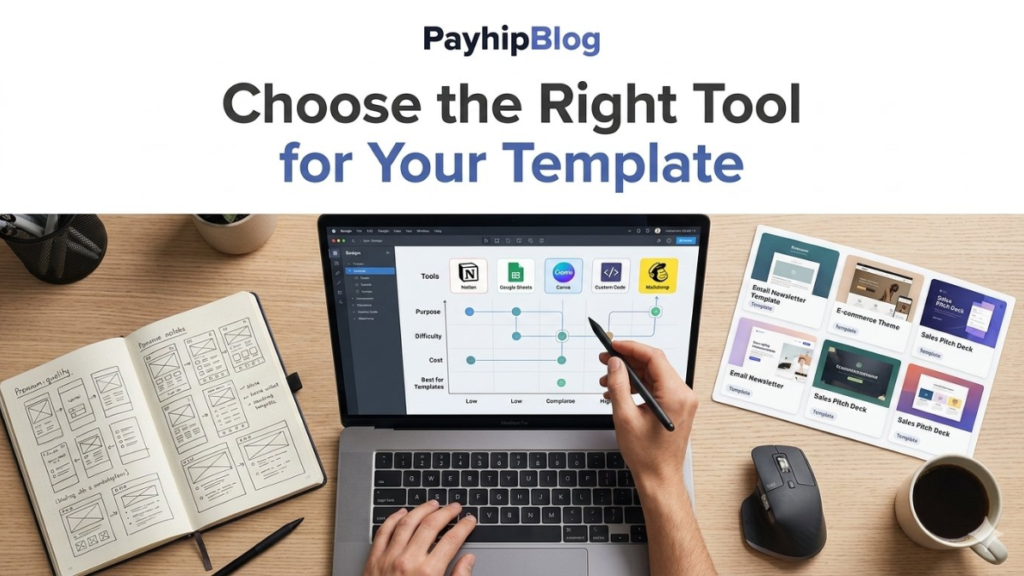
You do not need expensive software to get started.
For visual templates, Canva is one of the easiest options because customers can edit designs from a browser or mobile device.
For spreadsheets, you can use Microsoft Excel or Google Sheets.
For workspace systems, Notion is useful for dashboards, project trackers, content calendars, and databases.
For presentations, PowerPoint and Google Slides are practical choices.
The tool should match the customer’s workflow.
For example, selling a complicated spreadsheet that requires desktop Excel may not make sense if your target audience expects to edit everything on their phone.
Build Your First Template
Once you have an idea, build the smallest useful version first.
Let’s say you want to make a social media content planner.
Instead of creating a giant 50-page product, start with:
- Content title
- Platform
- Content type
- Caption
- Publishing date
- Status
- Notes
Make the layout easy to understand.
Use clear labels and sensible spacing. Leave enough room for actual content. Test the file yourself before listing it.
This last step matters more than it sounds.
I have opened templates that looked excellent in promotional screenshots but became frustrating when actually used. Text boxes were too small, formulas were unclear, and sample content was impossible to remove cleanly.
A template should work as well as it looks.
Test It Like a Customer
Before selling anything, pretend you have never seen the file before.
Open it on the device your customer is likely to use.
If it is a Canva template, try opening and editing it from a browser and, where practical, the Canva mobile app.
If it is a spreadsheet, test common actions:
- Enter new information
- Delete sample data
- Add another row
- Change dates
- Check formulas
- Print or export it
- Open it on a smaller screen
Ask someone else to test it if possible.
Do not explain how everything works while they are testing. Watch where they get confused.
Those moments are valuable product feedback.
Create a Simple Customer Guide
A five-minute instruction sheet can prevent a surprising number of support questions.
For a Canva product, your guide could explain:
- Open the template link.
- Select “Use template.”
- Make a copy in Canva.
- Replace the sample text and images.
- Adjust colors and fonts if needed.
- Export the finished design.
For a spreadsheet, explain where customers should enter information and which cells they should not modify.
Keep the guide short. Customers generally do not want a 30-page manual for a simple template.
Where Can You Sell Templates?
There are several ways to sell templates, and each has a different setup.
Etsy
Etsy can be useful because customers are already searching for digital products.
The challenge is competition. Your listing needs a clear title, useful preview images, accurate descriptions, and a product that genuinely solves the buyer’s problem.
Digital products also need clear instructions so buyers understand what they are purchasing.
Your Own Website
You can also sell through your own website using an ecommerce system or digital-product platform.
The advantage is greater control over branding, customer experience, and marketing.
The disadvantage is that you need to bring visitors yourself.
A website with ten excellent templates and no traffic can still generate zero sales.
Creative Market and Similar Marketplaces
Design-focused marketplaces can make sense for certain products, particularly professional graphics, presentations, fonts, and other creative assets.
Research each marketplace’s current submission requirements, fees, licensing rules, and acceptable file formats before uploading products.
Social Media
Social media can work particularly well for showing templates visually.
For example, instead of posting:
“Buy my budget spreadsheet.”
you could create a short video showing how you enter expenses and automatically organize them.
The demonstration gives people a reason to care about the product.
Make Your Product Listing Easy to Understand
Your listing should answer the questions a buyer is likely to have before purchasing.
For example:
Product: Freelance Invoice Template
Explain:
- What software it uses
- What files are included
- Whether it is editable
- What the customer receives
- Whether the customer needs a paid software account
- How the file is delivered
- What is and isn’t included
- Whether commercial use is allowed
Do not hide important limitations.
If a template requires Canva Pro features, say so. If stock photographs shown in your preview are not included, explain that clearly.
Honest descriptions reduce confusion and unnecessary refunds.
Preview Images Matter
Digital products have a strange problem: customers cannot hold them.
Your preview images need to show what they are actually buying.
For a template bundle, consider showing:
- The complete product
- Several individual pages
- A close-up of an editable section
- Different examples using the same template
- The file format
- A simple “what’s included” graphic
Do not fill every image with giant text saying “BEST” or “LIMITED OFFER.”
Show the product.
If someone is buying a resume template, they should be able to see the layout clearly enough to understand whether it suits them.
How Much Should You Charge?
There is no universal price for templates.
A simple one-page printable and a complicated business spreadsheet should not necessarily cost the same.
When setting your price, consider:
- How much work went into the template
- How specific the target audience is
- How many files are included
- How much customization is possible
- Whether you provide instructions
- Whether you offer updates
- What comparable products cost
Suppose you create a bundle of 40 social media templates for a specific profession. You could price it differently from a single generic Instagram post template.
Do some marketplace research, but don’t automatically copy the lowest price you see.
Very cheap pricing can create another problem: customers may assume the product is low quality.
Think About Licensing Before You Sell
Licensing is one area where beginners should slow down.
You need to understand what customers are allowed to do with your templates.
For example, you might permit a buyer to customize a template for their own business but prohibit them from reselling the editable template as their own product.
Your template may also contain fonts, photographs, illustrations, icons, or other assets with their own licensing restrictions.
Do not assume that because you can download or use an asset, you can automatically redistribute it inside a commercial template.
Check the current license terms of every third-party asset you use.
If you are uncertain, use assets you have clear commercial rights to distribute or create your own.
A Realistic First-Product Workflow
Here is a workflow I would use if starting from zero.
Step 1: Pick one customer
Don’t target “everyone.”
Choose something like:
- Freelance designers
- Teachers
- Photographers
- Small restaurants
- Real estate agents
- Coaches
- Content creators
- Students
Step 2: Find a repeated task
What do these people repeatedly create, track, organize, or send?
Step 3: Build one useful template
Don’t start with a 100-product store.
Create one product that solves one clear problem.
Step 4: Test it
Use it yourself. Give it to a friend or colleague. Look for confusing sections.
Step 5: Prepare instructions
Make the first-use experience straightforward.
Step 6: Create honest previews
Show the actual product and explain what is included.
Step 7: Publish it
Choose a marketplace or your own storefront.
Step 8: Promote it where the customer already spends time
For a business template, LinkedIn or professional communities may make more sense than a random entertainment-focused audience.
For wedding stationery, visual platforms may be more appropriate.
The channel should follow the customer.
What Usually Goes Wrong?
Selling templates sounds passive because the product is digital, but there is still work involved.
Mistake 1: Designing for yourself
You may love a particular font combination or layout that makes perfect sense to you.
Your customer might hate it.
Design around the user’s task rather than your personal preferences.
Mistake 2: Making everything complicated
More pages do not automatically mean more value.
A customer buying a weekly planner may not need 80 pages of decorative extras.
Mistake 3: Ignoring mobile users
A design that looks great on a large monitor can be awkward on a phone.
Consider how your target customer will actually use the product.
Mistake 4: Copying popular products
Research is useful. Copying another creator’s design, wording, branding, or distinctive product is not a sustainable strategy.
Use market research to understand demand, then build something genuinely your own.
Mistake 5: Forgetting customer support
A customer may buy your template and immediately ask:
“Where do I find the file?”
That does not necessarily mean your product is bad. It may mean your delivery instructions need improvement.
Keep a short set of answers ready for common questions.
How to Improve a Template After Launch
Your first version does not have to be perfect.
If several customers ask the same question, treat that as product feedback.
For example, suppose three buyers cannot figure out how to change a particular section.
You could:
- Rename the section
- Add an instruction
- Change the layout
- Include a short tutorial
- Update the product description
This is one of the advantages of digital products: you can improve the underlying file without manufacturing another batch of physical goods.
Keep track of versions so you know which files customers should receive.
Don’t Expect Every Template to Sell
This is probably the most useful expectation to have.
You can spend several evenings creating something and discover that almost nobody wants it.
That does not automatically mean you are bad at design.
Maybe the audience was too small. Maybe the product solved a weak problem. Maybe the listing did not explain the value. Maybe competing products already dominate that category.
Instead of abandoning the entire idea, examine the evidence.
If people visit the listing but don’t purchase, the product page or offer may need work.
If nobody finds the listing, discoverability may be the problem.
If buyers purchase but ask the same questions repeatedly, the product experience may need improvement.
Those are different problems and should be treated differently.
A Better Long-Term Strategy: Build Around One Audience
One of the more practical ways to grow a template shop is to create related products for the same type of customer.
Imagine you start with a social media content calendar for photographers.
You could later create:
- Photography pricing guide
- Client inquiry form
- Photography invoice
- Instagram post templates
- Wedding photography checklist
- Client onboarding workbook
Now your products are connected.
A customer who needs one photography business template may also need another.
This is generally more useful than creating random templates across twenty unrelated categories.
Final Thoughts
Selling templates online is not really about uploading attractive files and waiting for money to appear. The better way to think about it is as a small digital-product business.
Find a repeated problem. Build a practical solution. Test it. Explain it clearly. Sell it where your audience can find it. Then pay attention to what customers actually do and ask.
Your first template might make a few sales, none, or more than you expected. Whatever happens, the useful part is what you learn from that first product.
If you can turn that experience into a better second template, a clearer product listing, and a better understanding of your customer, you are no longer just making designs—you are building a product people can actually use.